Adventure Novel Framework (ANF)

ANF is a framework that I'm working on since 2020. It was used for many projects.

At its core, it is a framework for visual novels / point & clicks. It was however reused for other types of games.

MainLogo

Language

C#

Unity

Type

Framework

Dev time

2021-2026

Framework history

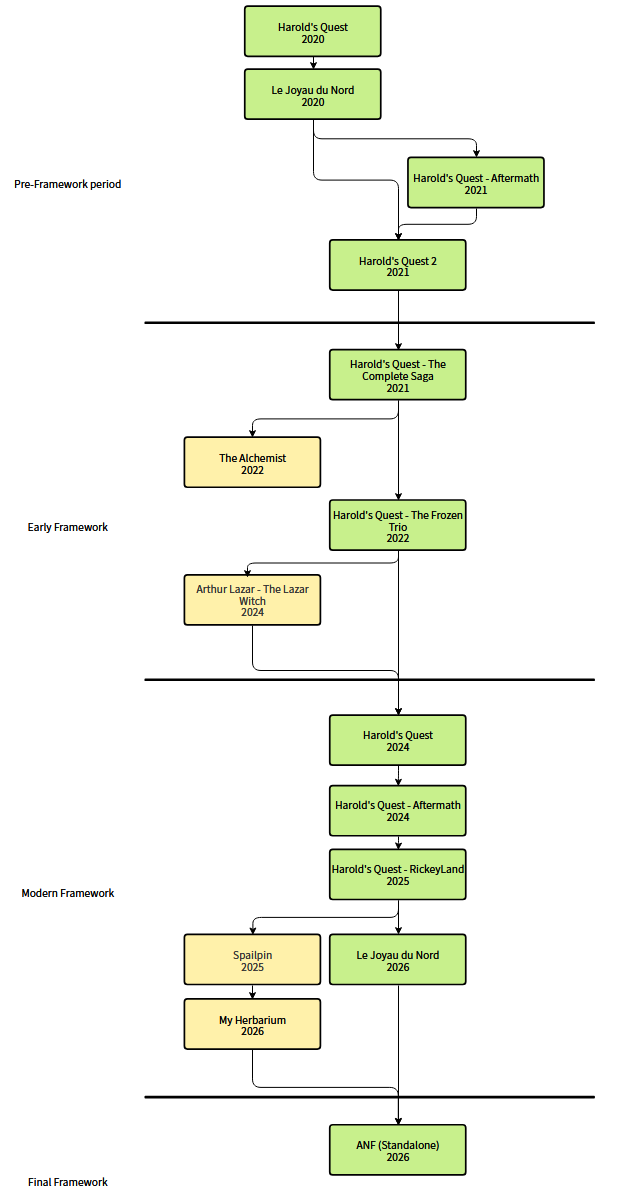
ANF is a framework initially used to create 2D Visual Novels. It evolved over time and is now a framework focused on the creation of 3D non-linear point & click / visual novel. As a result, it had during the past few years different forms, and even names. You can distinguish 4 phases in its evolution:

- The pre-framwork phase was the first phase of the framework. It includes the first Harold's Quest games made at the time in Python and Javascript. Initially, it consisted simply of functions allowing the display of dialogues and the activation of events. It was still necessary to code the game in python, even if the functions made the work easier. The first real version of the framework was created with Harold's Quest 2. The game used a handmade game engine and allowed its user to create a visual novel almost without having to touch python code. Although this version was functional, it had some flaws (poor memory management, internal representation of dialogues not effective enough, ...) which did not make it viable in the long term.

- The early framework phase was the second phase of the framework. It includes some Harold's Quest games, but also other games that have nothing to do with the series. The latter generally reuse the framework's localization system, as well as the script processor. This phase marks the beginning of the framework on Unity, with a drastic change on its inner working. The script processor was created to control more simply in-game events, and a first version of ANSL (Adventure Novel Scripting Language) was conceptualized.

- The modern framework phase was the third phase of the framework. It includes the remakes of the Harold's Quest games, but also student projects. The latter reuse the framework's localization system, as well as the script processor. The twist is that the systems used by these student projects have been modified. The location system has been improved (performance and accessibility), and a nodal version of ANSL, more accessible for non-programmers, was created. On the side of Harold's Quest games, this phase marks the transition to 3D point & click. ANSL, the script language of the framework has been reworked to be more accessible and simple to use. The framework itself has been reworked to be more pleasant to look at and easier to modify afterwards. In the case of the remake of "Le Joyau du Nord", an alternative version of the framework was created to support the different RPG mechanics of the game.

- The final phase of the framework will be the fourth phase of the framework. It will represent the creation of a standalone version of the framework, using different parts from previous games. The localization system will use the version of My Herbarium, and the rest will be inherited from the remake of "Le Joyau du Nord". Stability changes will be made to the framework to make it more accessible to a larger audience, and accessibility features will be implemented.
screenShot

Diagram of the evolution of ANF. Games in green inherit the entirety of the framework. Games in yellow inherit only parts of it.
Framework basis

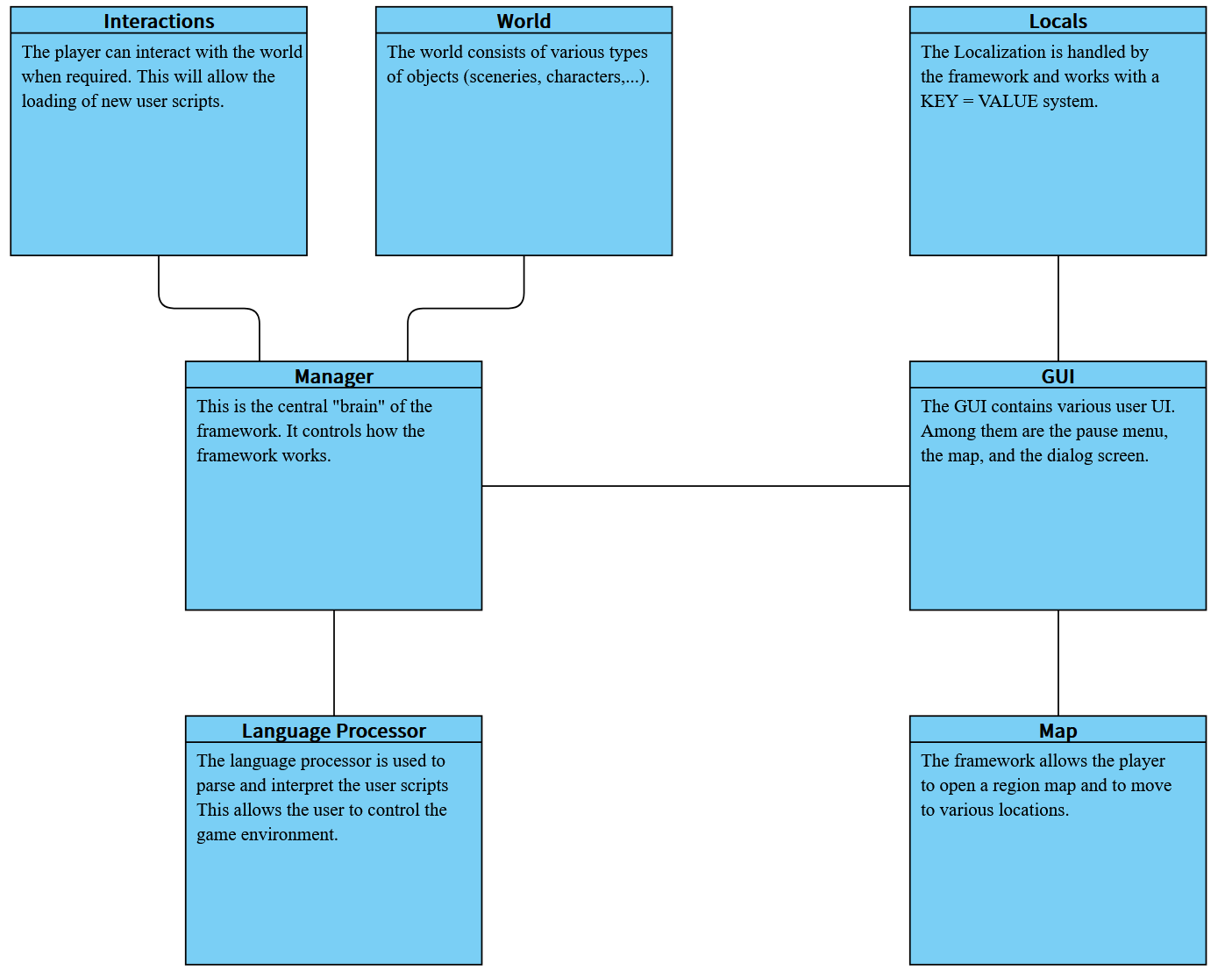
The framework can be broken down into several modules, which are responsible for different parts of the framework.

- The manager is responsible for managing the other modules and ensuring they are properly synchronized. It also manages player variables (player name, current quests, ...)

- The world is responsible for the on-screen characters and scenery.

- Interactions is responsible for the framework's interaction mechanics.

- The script processor is responsible for translating the ANSL script language into interpretable commands by the framework.

- The GUI is responsible for the different elements of the framework's UI (pause menu, dialogues, ...).

- The localization is managed by the framework with a handmade system.

- The map allows the player to move through one or more maps. This allows for a less linear and more open gaming experience.


ANSL (Adventure Novel Scripting Langguage) is the scripting language allowing the user to create games without having to touch too much the framework.

screenShot

Diagram of the different modules of ANF

ANSL

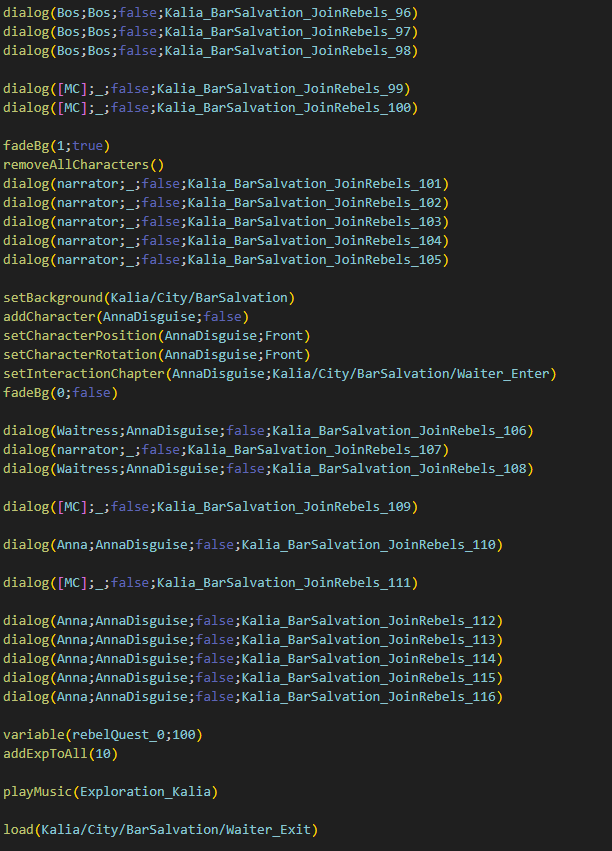
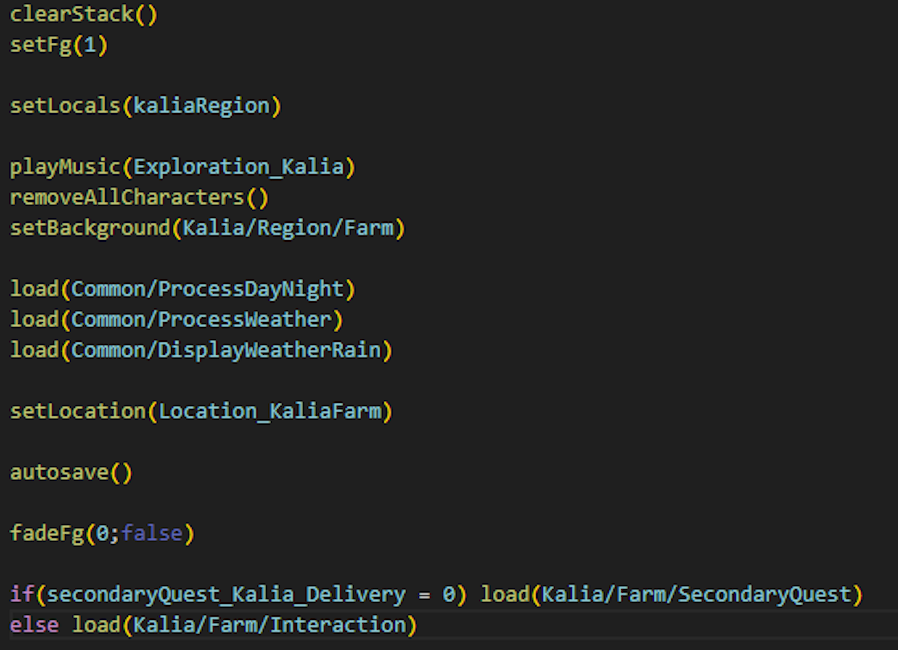
ANSL is the scripting language of the framework. It is similar in syntax and operation to C# in order to minimize the learning curve. When interpreting the script, the processor will read the code line by line, and trigger the desired behaviors. There are two types of "commands": functions and control keywords.

- The control keywords are if, interact, choice, switch, ... . They trigger a modification in the way the script file is read. If checks if a player variable has a certain value. If yes, commands are performed. If no, other commands will be. Choice triggers the appearance of a choice, asking for an interaction from the player before continuing. Interact allows to launch the framework's interaction mode. (It is then necessary to click on a world object to trigger a new script)

- Functions are the most common commands in ANSL. They have the format NAME_COMMAND(PARAMETER_1;PARAMETER_2;...;PARAMETER_N). These functions allow you to perform a large number of actions, such as displaying a dialogue, modifying player variables, changing the scenery, the weather or the characters, fading, changing the current script, ...


A language module for Visual Studio Code was also developed to make it easier to view the code.

screenShot

Example of an ANSL script. It represents the end of a dialog in the remake of "Le Joyau du Nord" (2026)

The map

Using the map function in ANSL allows you to open a specific map. This has the effect of opening a map on the screen, allowing the player to move around the world. It's a way to allow movement in a Point & Click/ Visual Novel game context.

The framework can support several maps. It is simply necessary to properly configure them. A map consists of :

- A visual which represents the region in which the player will move in.

- Buttons which represent the different points of interest on the map. Clicking a button closes the map and launches a predefined script. It is also possible to move from map to map with smart use of scripts. To configure where each button redirect, it is necessary to indicate in a .txt file the informations for each button. You can also make a button only appear if a condition with a player variable is met. (For example: I can only go to the city hall if the variable canTravel_CityHall is equals to 1)

Example of map movements in "Le Joyau du Nord" (2026)

Interaction mode

The interaction mode allows the user to interact with the environment. You can interact with objects from the scenery as well as with the characters present on screen. Clicking on an interactable element will launch a specific ANSL script. To setup the interaction mode, you need to use different ANSL functions to specify the scripts launched by the interactions, or to disable the interaction on certain elements. Finally, just use the keyword interact to launch the interaction mode.

By default, you can also interact with the bottom of the screen to open the map of the place you are currently in.

Example of a serie of interactions in Harold's Quest 2 (2025)

Player variables

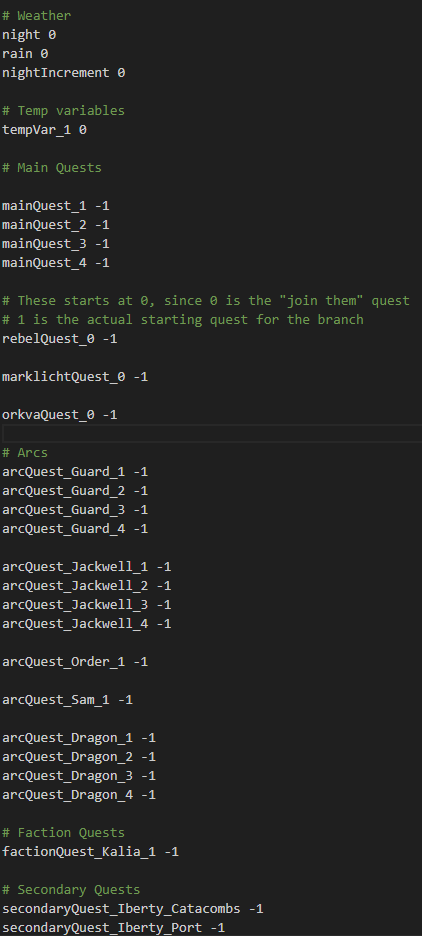
Player variables are accessible and modifiable in runtime from ANSL. They can represent different things, like quests or weather conditions. Many systems use player variables, such as the map system or the quest system in "Le Joyau Du Nord".

screenShot

Some of the player variables in "Le Joyau du Nord" (2026)

Localization

The framework includes a built-in system for the localization and management of text's size, typography, and color.

Each localized text is assigned to a "channel". There are 10 of them. Subsequently, one can modify the information of a channel, which will have the effect of modifying the size, typography, and color of all the texts assigned to the channel. The implementation is based on the use of UnityEvents.

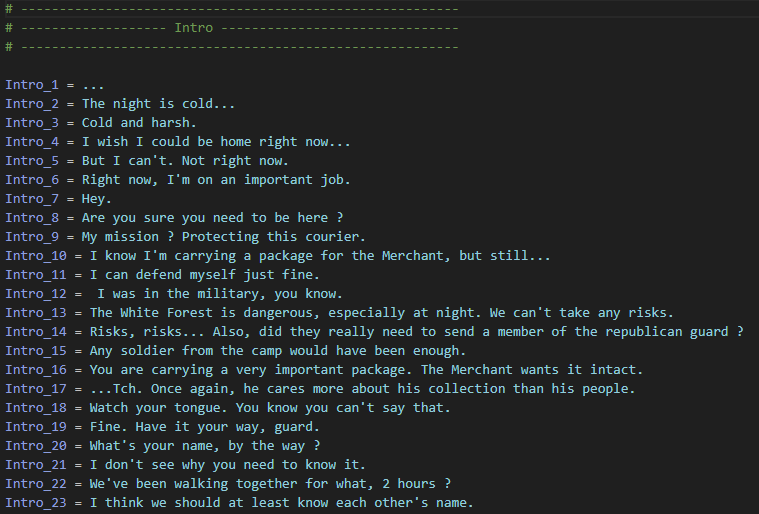
For translations, several files are created to contain the different texts of the project. There are 2 by default :

- The system file which regroups the texts related to the different menus. They are generally 'static' and do not need to be modified between each project.

- The common file that regroups together the "common" text files of the game. In the case of visual novels, these are the texts related to the story that are displayed in the dialog boxes.

You can create other localization files and load them in runtime. This allows to break down the common file and lighten the system's memory weight.

screenShot

Some of the localization files in the remake of "Le Joyau du Nord" (2026)